
Lidarr
Lidarr is optional. Connect it when you want Lidarr to manage artists and albums, or when you want Aurral to show Lidarr queue and history status. Aurral can browse, search, play, stream, and scan indexed files without Lidarr.
The Lidarr integration has two parts:
- Aurral connects to the Lidarr API.
- Aurral reads the library files at the paths that Lidarr reports.
The API connection can pass while the file connection fails. Mount the same media root in Aurral and Lidarr at the same container path. See Filesystem and mounts.
Connection
Section titled “Connection”Enter these values in first-run setup or in Settings > Lidarr:
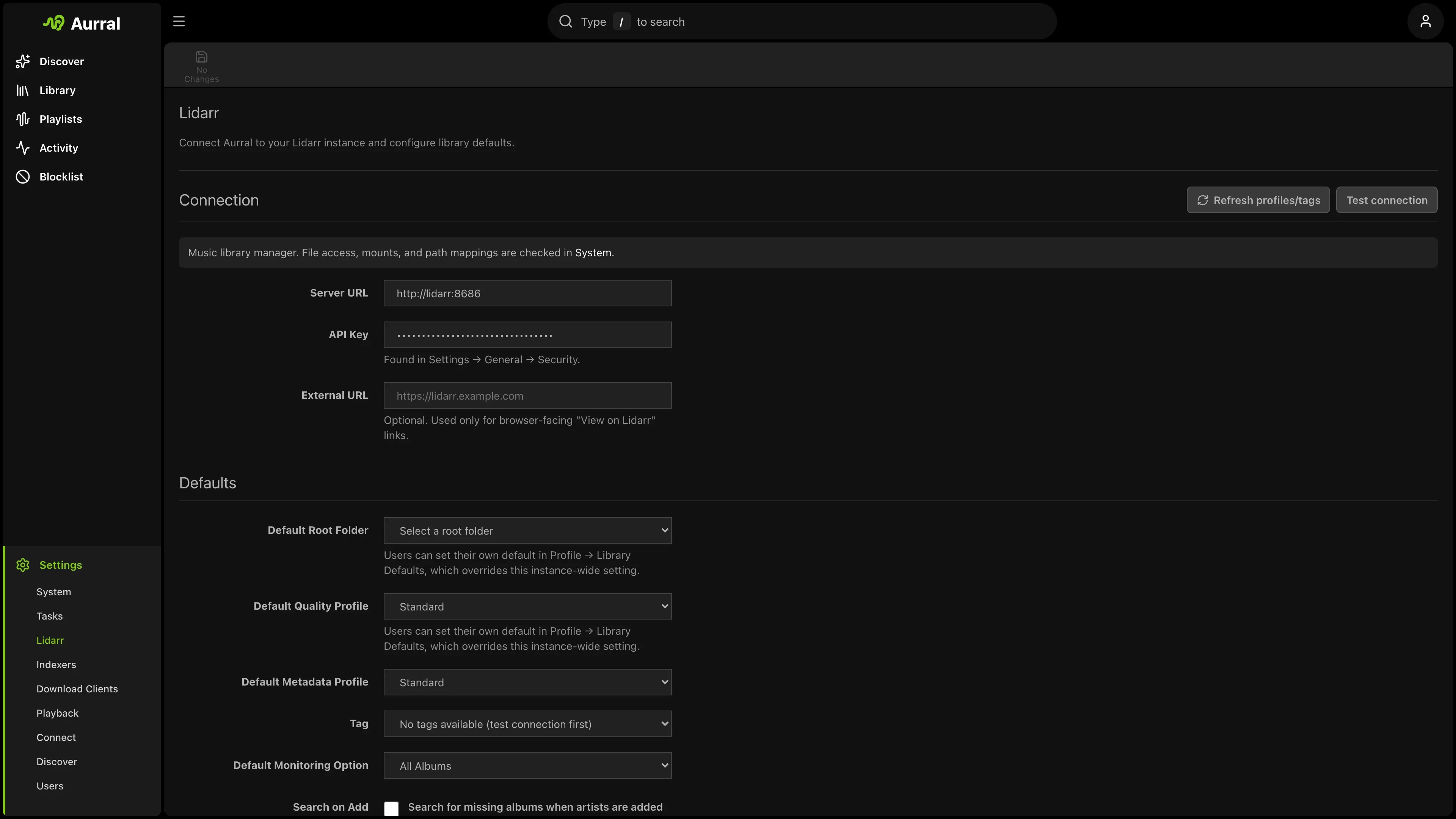
- The URL Aurral can reach (often
http://lidarr:8686in Docker). Aurral supports both HTTP and HTTPS. Use HTTPS when the connection leaves your trusted network. - Your Lidarr API key
- Default quality profile, metadata profile, tag, monitoring option, and search-on-add behavior
- Show available music only, which controls whether the Library lists your whole Lidarr catalog or only downloaded music
- Optional Davo’s Community Lidarr Guide for quality profiles and file names
Library display
Section titled “Library display”When Lidarr is configured, it reports an artist’s full discography, including albums you have not downloaded. Show available music only (in Settings > Lidarr) keeps the Library focused on music you actually have:
- When on (the default), the Library — the Albums list, Album artists list, and the home Recently added shelf — shows only albums with downloaded files, and the library counts reflect that. Artists with no downloaded music drop off the list, so an artist you remove in Lidarr disappears from the Library on the next scan.
- When off, the Library shows each artist’s full Lidarr discography,
including albums with no files (labelled
0/10 available).
This setting only changes what the Library lists. You can still search for and request unmonitored or undownloaded albums from the artist’s discography, and the request and monitor workflows are unchanged.
Without Lidarr, the Library lists the artists, albums, and tracks that Aurral has indexed from its configured roots.
Metadata providers
Section titled “Metadata providers”Aurral keeps the MusicBrainz UUID for artist routes and stores Lidarr’s provider ID separately. If Lidarr uses a provider such as Tubifarry Deezer or Discogs, Aurral verifies the submitted MusicBrainz artist, accepts names recorded as MusicBrainz aliases, uses Lidarr’s lookup to identify the active provider, and retries a provider-ID format error with the canonical provider ID. Existing provider-ID artists are verified and backfilled when Aurral reads the library. If the identities do not match, search for the artist in Lidarr first or use MusicBrainz metadata.
Library access check
Section titled “Library access check”Aurral tests file access at paths that Lidarr reports. If the test fails, mount the Lidarr media root in Aurral. The recommended layout uses /data in both containers, with a Lidarr root folder such as /data/music.
The check samples a track from an artist inside a root folder. It falls back to an artist outside them and then reports that the artist was left behind by a root folder change.
After a file changes in a configured Lidarr root, Aurral watches the root and queues a local canonical library scan. Aurral does not request Lidarr artist, album, track, or track-file data during that scan. The file must be readable at the saved root path. The canonical Library uses the MusicBrainz and provider identities that Aurral reads from the file and from Lidarr.
Aurral stores discovered Lidarr root paths locally. It refreshes the Lidarr
/rootFolder endpoint when it connects, reconnects, or the root configuration
changes. If you disable Lidarr, Aurral keeps indexed Lidarr media visible and
does not scan those roots until you enable Lidarr again.
Request availability notifications
Section titled “Request availability notifications”To send Request available notifications as soon as Lidarr imports an album, add an outgoing webhook in Lidarr > Settings > Connect:
- Add a Webhook connection.
- Set the URL to
https://aurral.example.com/api/webhooks/lidarrusing the address that Lidarr can reach. - Enable the On Import event.
- Add a custom
X-Api-Keyheader containing the Aurral API key from Settings > System.
Aurral acknowledges other Lidarr webhook events but only changes request
history for the import (Download) event of an album that was requested in
Aurral. The existing Gotify and webhook notification switches still control
which notifications are sent.
If the file does not appear in Library, use the Refresh button there. Refresh waits for the canonical scan to finish. If it still does not appear, run Test library access and check Filesystem and mounts for a path mismatch. If Lidarr fails during refresh, Aurral retries the scan instead of reporting it complete and writes the provider error to the server log. No-response errors include the request method, endpoint, and configured timeout.
See Library access fails on a folder that is not your root folder.
In mixed Windows and Docker setups, Test library access shows the exact path that Lidarr reports. If that path differs from the path inside Aurral, add a mapping under Settings > Download clients > Remote Path Mappings with Source set to Lidarr.
This mapping only helps Aurral read Lidarr files. Navidrome must scan the corresponding Lidarr music folder before Aurral can add a reused song to an API playlist. See Path mismatches.
Safety
Section titled “Safety”When Lidarr is configured, artist and album changes go through Lidarr. Aurral does not write directly into a Lidarr root music library.
Import list feeds
Section titled “Import list feeds”Each flow can provide a Lidarr Custom List URL.
- Open the flow menu on Playlists.
- Select Lidarr import URL.
- In Lidarr, open Settings > Import Lists > Custom List.
- Add the URL.
The copied URL uses the Aurral host in your browser. For example, the URL can start with https://aurral.example.com/api/feeds/.
Lidarr must be able to reach that host.
The URL includes a per-flow token. Treat it like a secret. Anyone with the URL can read that flow’s artist list.
The feed always reflects the flow’s current tracklist.
Aurral does not include tracks without a MusicBrainz artist ID in the feed. Aurral includes available album IDs.
Lidarr uses the IDs for Specific Album monitoring on versions that support album-level custom lists.