
First run
First, create the admin account and configure the filesystem. Connect Lidarr if you want managed library changes, requests, or provider status.
Before first run
Section titled “Before first run”Complete Filesystem and mounts first. The short version is:
- Mount the same host media root in Aurral and the services you use.
- If you use Lidarr, mount its library root in Aurral at the same container path.
- Use the same container path, normally
/data. - Keep Aurral’s
/configmount separate.
First-run steps
Section titled “First-run steps”- Open Aurral and create your admin account.
- Open Settings > Download clients.
- Set Downloads Folder > Path to a writable path inside Aurral, such as
/data/downloads/aurral. - Open Settings > Storage health, select Run Checks, and fix failed checks.
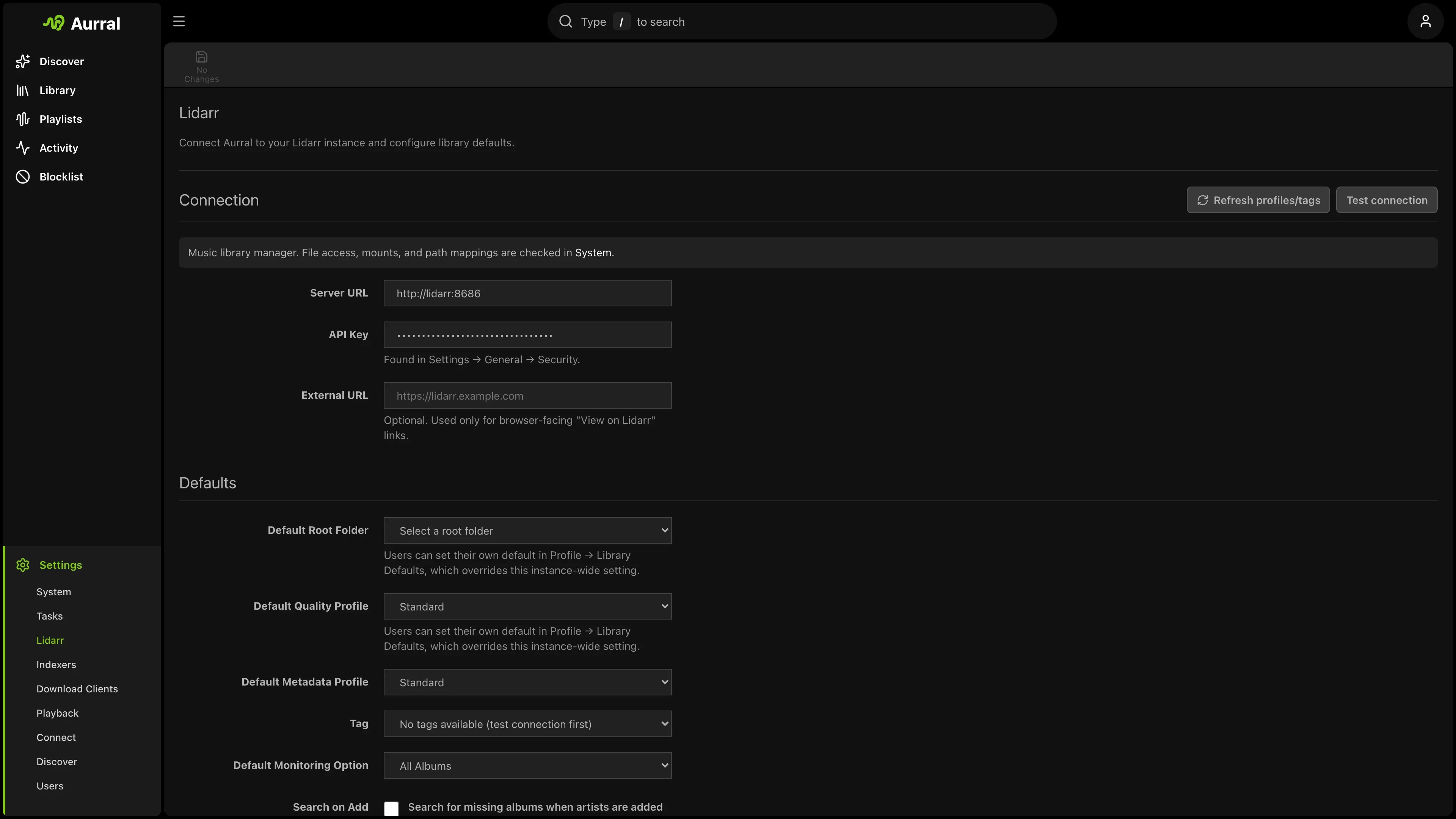
- If you use Lidarr, open Settings > Lidarr.
- Prefer an HTTPS Lidarr URL. In a trusted, isolated Docker Compose network,
http://lidarr:8686is also acceptable because Aurral sends the Lidarr API key to this URL. - Enter the Lidarr API key and select Test connection.
- Select Test library access after the connection test passes.
- Connect the download clients and playback server that you use. Navidrome and Plex are optional destinations. Aurral can play indexed media in the built-in player when the canonical file is readable.
The Lidarr connection test checks the API. The library-access and storage checks verify that Aurral
can read the files and write the Downloads Folder. Aurral can run these filesystem checks without
Lidarr. The Aurral-native playback check reports
whether indexed media is ready to play. The built-in Subsonic service is available at /rest for
compatible external players.
Configure the other services
Section titled “Configure the other services”- Download clients: Open Settings > Download clients. Connect slskd, SABnzbd, or NZBGet and make sure their completed path is under the shared media mount. The built-in yt-dlp source needs no separate service.
- Navidrome: Open Settings > Playback > Navidrome and connect it. Aurral creates its playlist library when a flow or playlist produces output. See Navidrome.
- Plex: Open Settings > Playback > Plex, connect Plex, and select Sync to Plex now after a flow downloads tracks. See Plex.
If any service uses a different path, see Path mismatches. Do not add a path mapping until the local folder is mounted inside Aurral.
Next: Discover